Meta Description
Looking for an affordable laptop for everyday tasks? Discover the Acer Smartchoice Aspire Thin and Light Laptop with an Intel Celeron N4500 processor, 8GB LPDDR4 RAM, 512GB NVMe SSD, a 14-inch WXGA display, Windows 11 Home and a lightweight 1.3kg design.
- Intel Celeron N4500 dual-core processor
- 8GB LPDDR4 RAM and 512GB SSD
- 14-inch WXGA display with Acer BlueLight Shield
- Windows 11 Home and Intel UHD Graphics
- Lightweight 1.3kg design with Wi-Fi 5 and HDMI
Read the complete review to explore its features, advantages, limitations and ideal use cases.
Acer Smartchoice Aspire Thin and Light Laptop Review
The Acer Smartchoice Aspire Thin and Light Laptop is an entry-level laptop designed for students, home users and professionals who need a portable device for everyday computing. With an Intel Celeron N4500 processor, 8GB of LPDDR4 RAM, a 512GB SSD and Windows 11 Home, it focuses on essential productivity rather than high-performance computing.
Its lightweight design and practical connectivity options make it worth considering for online classes, document editing, web browsing and basic office work. However, its HD-resolution display and entry-level processor mean buyers should understand its limitations before purchasing.
Design and Build Quality
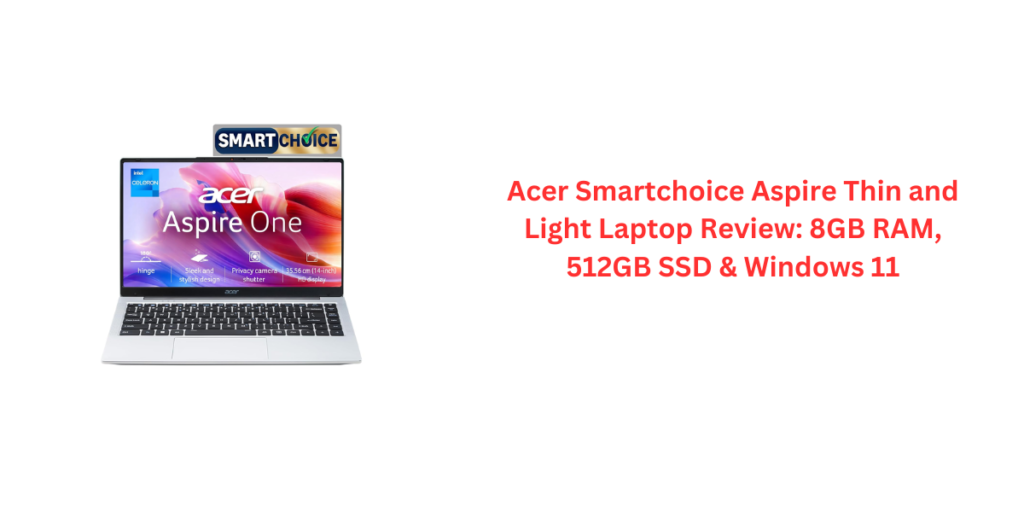
One of the main attractions of this Acer Aspire One laptop is its Pure Silver finish and slim clamshell design. Weighing approximately 1.3kg, it is convenient to carry between college, the office and home. Its listed dimensions are 32.2 × 20.8 × 1.8cm, making it a relatively compact option for everyday travel.
The simple silver appearance suits both students and professionals. It is designed for practicality rather than a premium metal-bodied look, so buyers should check the actual build materials and durability if those features are important to them.
Display Quality
The laptop features a 14-inch LCD/LED display with a resolution of 1366 × 768 pixels, commonly known as WXGA or HD resolution. The narrow borders help provide a more modern viewing experience, while Acer BlueLight Shield is intended to help reduce blue-light exposure.
For routine activities such as browsing websites, attending online classes, watching videos and working on documents, the screen should be adequate. However, it is not a Full HD panel, so text and fine details will not look as sharp as they do on a 1920 × 1080 display.
Users who regularly edit photos, work with detailed spreadsheets or keep several windows open may prefer a laptop with a Full HD screen.
Processor and Everyday Performance
The Acer Smartchoice Aspire Thin and Light Laptop uses the Intel Celeron N4500, a dual-core processor with a listed base frequency of 1.1GHz and a maximum boost frequency of up to 2.8GHz.
It is intended for basic computing, including:
- Web browsing and email
- Microsoft Office-style document and spreadsheet work
- Online classes and video calls
- Watching movies and streaming content
- Basic administration and light productivity tasks
The processor is an entry-level chip, so it is not the best choice for demanding video editing, advanced graphic design, modern AAA gaming or heavy multitasking. Performance will also depend on the applications running and the condition of the system.
For buyers who mainly need a laptop for simple daily tasks, it can cover the basics. Those who want a laptop for several years of heavier use may benefit from comparing models with a newer Intel Core or AMD Ryzen processor.
8GB RAM and 512GB SSD Storage
The laptop comes with 8GB of onboard LPDDR4 memory. This capacity is suitable for routine tasks, although running many browser tabs and demanding applications simultaneously may affect responsiveness. Because the memory is listed as onboard and the maximum RAM is specified as 8GB, buyers should assume that a RAM upgrade may not be possible unless Acer confirms otherwise for this exact model.
Its 512GB PCIe Gen 3 NVMe SSD is a useful feature for an entry-level laptop. An SSD generally provides faster startup and application-loading times than a traditional mechanical hard drive. The listing also mentions support up to 1TB, but buyers should confirm the precise storage expansion method and compatibility before planning an upgrade.
Overall, the combination of 8GB RAM and a 512GB SSD is practical for documents, downloads, study materials and everyday applications.
Windows 11 Home and Software
The device runs Windows 11 Home, providing access to the familiar Windows desktop environment and compatible productivity applications. The listing states that no additional software is preinstalled, which may appeal to users who prefer to install only the applications they need.
Keep in mind that the operating system itself and installed applications use part of the available storage and memory. Users should also check Windows activation status, update support and compatibility with their required applications when setting up the laptop.
Graphics and Entertainment
Integrated Intel UHD Graphics handles basic display output, video playback and light graphics tasks. This is not a dedicated gaming graphics solution, so demanding games and GPU-intensive creative software are not its intended use.
For watching online videos, attending video calls and enjoying casual entertainment, the graphics setup should be sufficient for typical entry-level use. The overall viewing experience will still be influenced by the display’s HD resolution and the quality of the video source.
Connectivity and Ports
The laptop includes dual-band Wi-Fi 5, Bluetooth support, USB connectivity and an HDMI output. These features make it possible to connect wireless accessories, USB devices and a compatible external monitor or television.
The product information lists three USB ports, including USB 3.0 connectivity, along with an HDMI port and a Kensington lock slot. The lock slot can be useful in shared offices, classrooms or other environments where physical security matters.
An external display can be especially helpful when working with spreadsheets, presentations or multiple documents. Before buying, check the exact port layout and specifications in the listing or manufacturer’s documentation.
Webcam, Microphone and Online Classes
A built-in webcam and microphones make the laptop suitable for video meetings, remote classes and routine online communication. The listing describes the camera and microphones as optimised for video calls, but it does not provide detailed camera resolution or audio specifications.
If you attend frequent online meetings, consider using a headset or external webcam if you need clearer audio or better video quality.
Battery Life and Portability
The listed battery capacity is 38Wh, with an estimated battery life of around five hours. Actual runtime can vary depending on screen brightness, Wi-Fi use, video playback, background applications, battery age and power settings.
Five hours may be sufficient for shorter study sessions or basic work away from a power outlet, but users who need a full day of classes or meetings should plan to carry the charger or compare models with longer independently verified battery life.
At approximately 1.3kg, portability is one of the laptop’s stronger points. It is relatively easy to place in a backpack and carry around campus or between meetings.
Is the Acer Smartchoice Aspire Thin and Light Laptop Good for Students?
It can be a reasonable option for students whose work mainly involves browsing, assignments, presentations, online classes and document editing. The SSD, 8GB RAM and lightweight body are useful for these activities.
However, students studying programming, engineering, advanced design or video editing should check the hardware requirements of their specific software. The Celeron N4500 may struggle with more demanding workloads, and the HD display is less spacious and sharp than a Full HD panel.
Warranty and What’s in the Box
The listing specifies a one-year warranty. The box contents are listed as the laptop, power cord, adapter and user manual. Buyers should review the warranty terms and confirm whether service is on-site or carry-in, as well as any exclusions.
Final Verdict
The Acer Smartchoice Aspire Thin and Light Laptop is a basic, portable Windows laptop intended for everyday computing. Its key advantages are the 512GB NVMe SSD, 8GB RAM, lightweight 1.3kg body, Windows 11 Home and practical connectivity.
Its main compromises are the entry-level dual-core processor, 1366 × 768 display, onboard RAM and listed five-hour battery life. It is best suited to users who prioritise essential productivity and portability over speed for demanding applications.
Important buying note: The supplied listing reports a customer rating of 1.0 out of 5 from one review. That is a very small sample, but it is a reason to read the available review carefully and check the latest customer feedback, seller reputation, return policy and warranty before ordering.
Recommendation: Consider this laptop for basic study, browsing and office work if its price is attractive. If you need stronger performance, a sharper display or longer battery life, compare it with alternatives featuring a newer Core or Ryzen processor and a Full HD screen.
Five Positive Things
- 512GB NVMe SSD: Offers useful storage capacity and generally faster boot and loading times than a traditional hard drive.
- Lightweight design: At approximately 1.3kg, it is convenient for students and people who travel with their laptop.
- 8GB RAM: Suitable for routine browsing, documents, online classes and basic office work.
- Windows 11 Home: Provides a familiar environment for everyday productivity and compatible applications.
- Useful connectivity: Wi-Fi 5, Bluetooth, USB ports and HDMI support common accessories and external displays.
Negative Things
- Entry-level processor: The Intel Celeron N4500 is not ideal for demanding software, heavy multitasking or intensive editing.
- HD display only: The 1366 × 768 resolution is less sharp than Full HD, especially for detailed work.
- RAM upgrade limitations: The memory is listed as onboard with an 8GB maximum, so future upgrades may not be possible.
- Moderate stated battery life: The listed five-hour runtime may not be enough for a full day away from a charger.
- Low supplied customer rating: The listing shows 1.0/5 from one review; investigate the review and current listing before buying.
Acer Aspire One Laptop Specifications
| Specification | Details |
|---|---|
| Brand | Acer |
| Model | Aspire One A114-45 |
| Model year | 2026 (as listed) |
| Colour | Pure Silver |
| Processor | Intel Celeron N4500 |
| Processor cores | 2 cores |
| Base clock speed | 1.1GHz |
| Maximum boost speed | Up to 2.8GHz |
| Cache | 4MB L3 cache |
| RAM | 8GB LPDDR4 |
| RAM upgrade | Onboard; maximum listed RAM is 8GB |
| Storage | 512GB PCIe Gen 3 NVMe SSD |
| Storage expansion | Support up to 1TB mentioned in listing; confirm compatibility |
| Operating system | Windows 11 Home |
| Display size | 14 inches |
| Display type | LCD with LED technology |
| Resolution | 1366 × 768 pixels (WXGA/HD) |
| Eye-care feature | Acer BlueLight Shield |
| Graphics | Integrated Intel UHD Graphics |
| Wireless connectivity | Dual-band Wi-Fi 5 (802.11a/b/g/n/ac) |
| Bluetooth | Supported; version not specified |
| USB ports | 3 total, according to listing |
| Video output | HDMI |
| Security feature | Kensington lock slot |
| Webcam | Yes; resolution not specified |
| Touchpad | Yes |
| Battery capacity | 38Wh |
| Listed battery life | Up to 5 hours (actual results vary) |
| Weight | Approximately 1.3kg |
| Dimensions | 32.2 × 20.8 × 1.8cm |
| Form factor | Clamshell |
| Warranty | 1 year, as listed |
| Country of origin | India, as listed |
| ASIN | B0H8S5PFWX |
| Box contents | Laptop, power cord, adapter and user manual |
Customer Testimonial
Rahul S. — Ahmedabad
★★★★★ 5/5 · Fictional sample
“The lightweight design and SSD storage make this a convenient laptop for everyday browsing and college assignments.”
Priya M. — Surat
★★★★☆ 4/5 · Fictional sample
“The silver finish looks simple and professional. The screen is fine for basic work, although I would prefer Full HD resolution.”
Aman K. — Jaipur
★★★★☆ 4/5 · Fictional sample
“The 512GB SSD gives useful space for documents and study material. I would mainly use this laptop for basic tasks.”
Neha P. — Pune
★★★☆☆ 3/5 · Fictional sample
“The laptop is portable and has useful connectivity. The entry-level processor may not be suitable for demanding applications.”
Harsh R. — Vadodara
★★★☆☆ 3/5 · Fictional sample
“It could work for online classes and documents, but I would compare its battery life and display with other laptops before buying.”
Also Watch This: Lenovo Idea Tab with Tab Pen Review: Best 11-Inch 2.5K Display, 5G, Dimensity 6300 & 7040mAh Battery